Logging Symptoms
The Symptoms tab is where you record how you feel. Logging symptoms when they happen helps Intestigator find connections to what you ate.
How to Log
- Tap the Symptoms tab
- Tap the + button
- Select your symptom(s)
- Rate the severity
- Add notes (optional)
- Tap Save
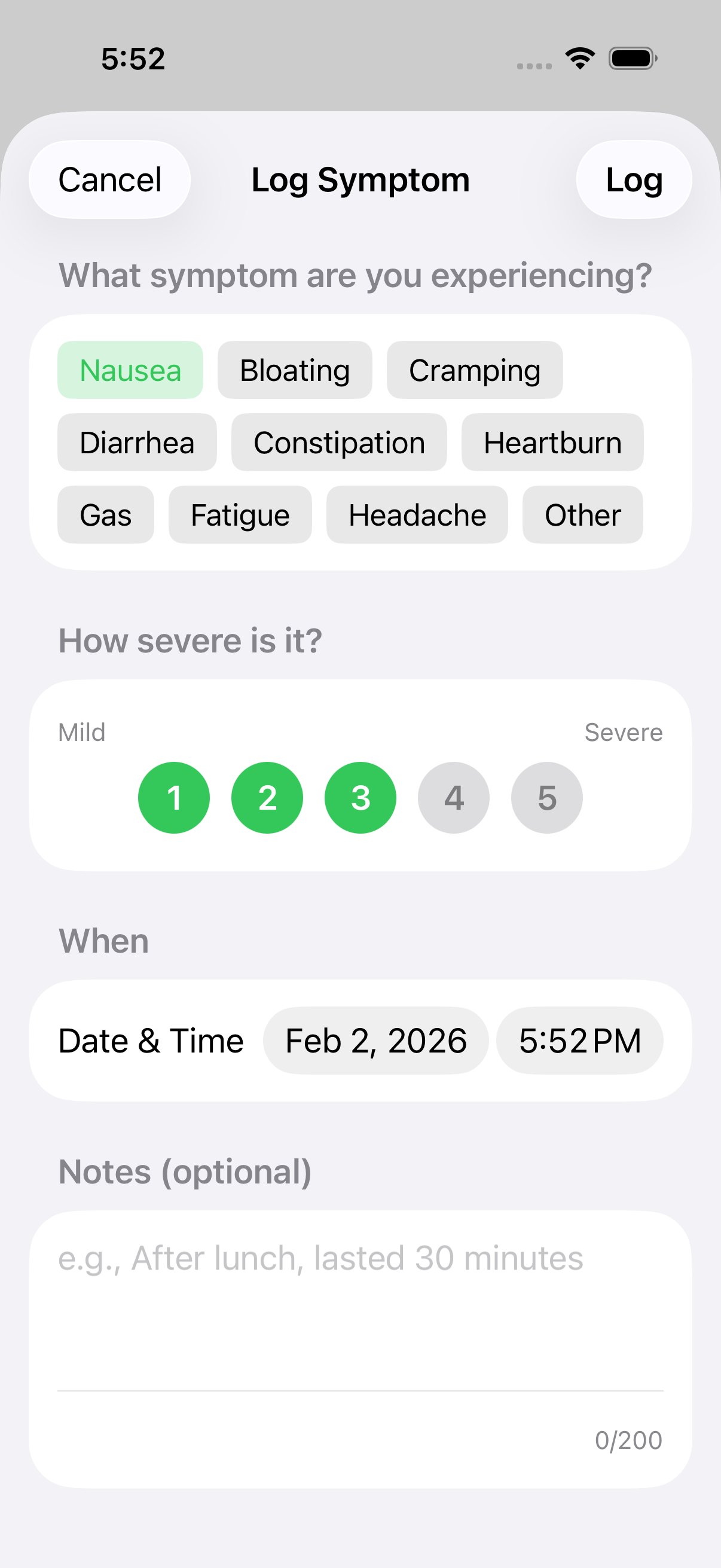 The symptom entry form ready for input
Symptom Types
Intestigator tracks common digestive symptoms:
- Bloating — Feeling full, tight, or swollen in your abdomen
- Cramping — Stomach cramps or abdominal pain
- Nausea — Feeling sick to your stomach
- Diarrhea — Loose or watery stools
- Constipation — Difficulty having bowel movements
- Heartburn — Burning feeling in your chest or throat
- Gas — Excessive gas or flatulence
- Fatigue — Unusual tiredness (often accompanies digestive issues)
- Headache — Head pain (can be related to food triggers)
- Other — Anything else you want to track
You can select multiple symptoms at once if you're experiencing more than one.
Severity Scale
Rate how bad the symptom is:
| Rating | Meaning |
|---|---|
| 1 | Mild — noticeable but not disruptive |
| 2 | Slight — somewhat uncomfortable |
| 3 | Moderate — clearly uncomfortable |
| 4 | Strong — significantly affecting your day |
| 5 | Severe — very painful or debilitating |
Be consistent with your ratings. What matters most is relative comparison over time.
Adding Notes
Notes are optional but helpful for context: - "Started right after lunch" - "Woke up with this" - "Lasted about 2 hours" - "Worse than usual"
Timing
Like meals, symptoms are saved with the current time. If you're logging something from earlier, tap the time to adjust it.
Try to log symptoms close to when they happen. The timing helps Intestigator calculate how long after eating your symptoms appeared.
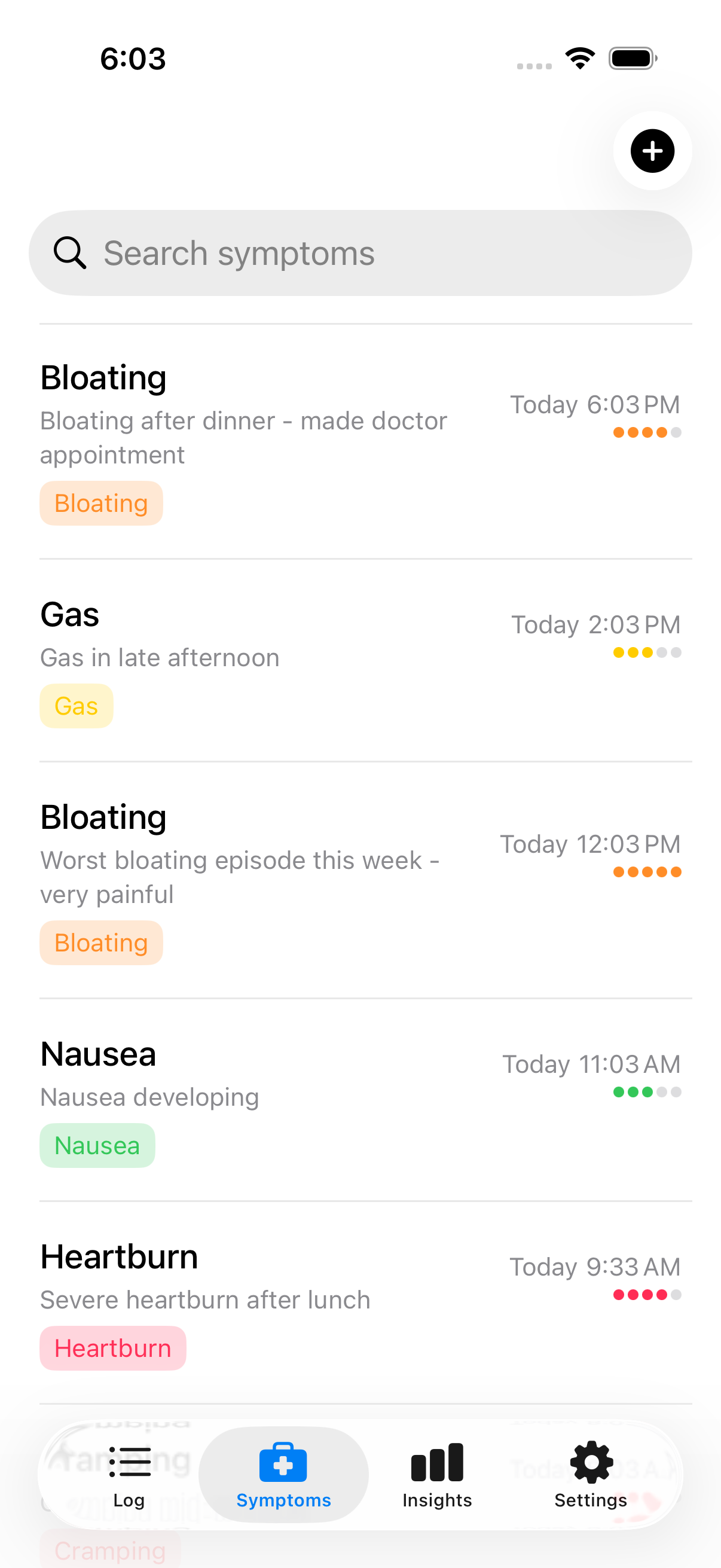 Your symptoms log tracks all recorded symptoms
Editing and Deleting
From the Symptoms tab: - Tap any entry to view details - Tap Edit to change it - Tap Delete to remove it
Next: Learn about Tags & Ingredients.